
Datasets
Say your app has a support bot, and you are about to change its prompt. To know whether the change helped, you need to ask the new version the same questions as the old one and compare the answers. If you pick different questions each time, you can't tell what caused the difference. A dataset is that fixed list of questions, kept in one place so you can use it again after every change.
What Is a Dataset?
A dataset is a named list of test cases for your AI code. Each test case is called an example, and it has two parts:
- The input: what your code gets, such as a user's question.
- The expected output: the answer you want, when you know it. This part is optional.
A dataset called refund-questions might hold:
| Input | Expected output |
|---|---|
| Can I get a refund on my annual plan? | Yes, within 30 days. |
| How long does a refund take? | Five to ten business days. |
| Do you refund the setup fee? | No, the setup fee isn't refundable. |
A dataset doesn't do anything by itself. It is the list an evaluation works through: the evaluation asks your code every question in the dataset and grades each answer. Because the list stays the same, a difference between two runs comes from your change, not from the questions.
What Makes a Good Dataset?
A short list of well-chosen examples is more useful than a long list you never read. A good place to start:
- Real questions. Use what your users actually ask, in their own words, rather than tidy questions you wrote yourself.
- Past mistakes. When you find a bad answer, save that call as an example. It becomes a permanent test, so you see it if that mistake comes back.
- Hard and unusual cases. Include questions that are vague, off topic or in another language, if your app gets them.
- Answers you trust. Only use a reply as the expected output if it is a good one. Otherwise your evaluation rewards the wrong answer.
Adding Examples
There is nothing to set up. A dataset is created the first time you add an example to it. Its name can be up to 100 characters.
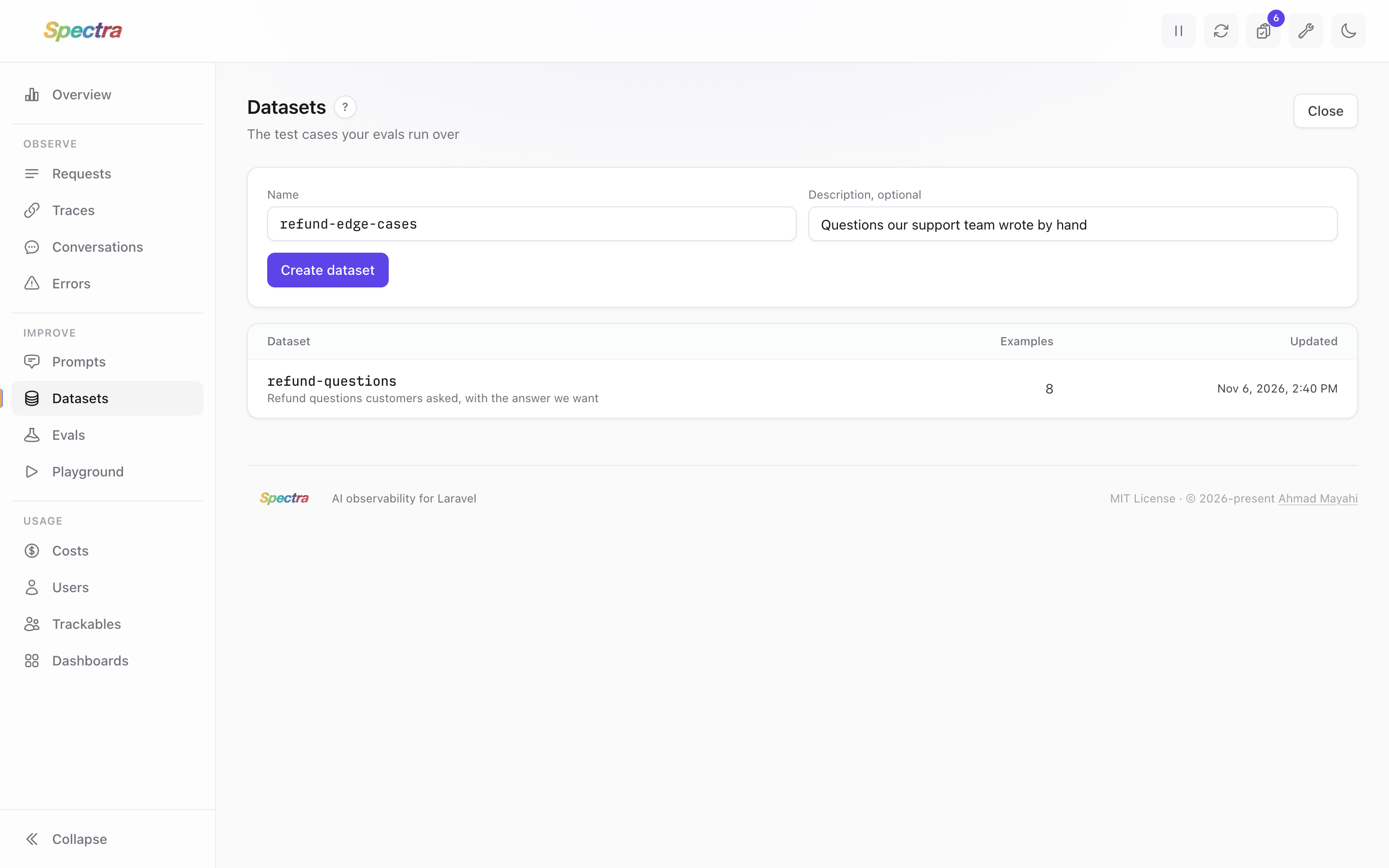
You can also create one first on the dashboard: click New dataset on the Datasets screen, give it a name and, if you like, a description, and its page opens ready for its first example.
In Code
Use Spectra::dataset() with the dataset's name:
use Spectra\Facades\Spectra;

$dataset = Spectra::dataset('refund-questions');

$dataset->add(['question' => 'Can I get a refund on my annual plan?'], expected: 'Yes, within 30 days.');
$dataset->add(['question' => 'How long does a refund take?'], expected: 'Five to ten business days.');
The input and the expected output can be any value that encodes to JSON: a string, or an array with the fields your code needs. Leave the expected output out when nothing compares against it, for example when a model judges the answer. add() also takes metadata, for anything you want to keep with the example:
$dataset->add(
    ['question' => 'Do you refund the setup fee?'],
    metadata: ['topic' => 'billing'],
);
From a Call
The quickest way to collect real examples is from the calls your app has already made. Open a call's page on the dashboard and use the Add to dataset card:
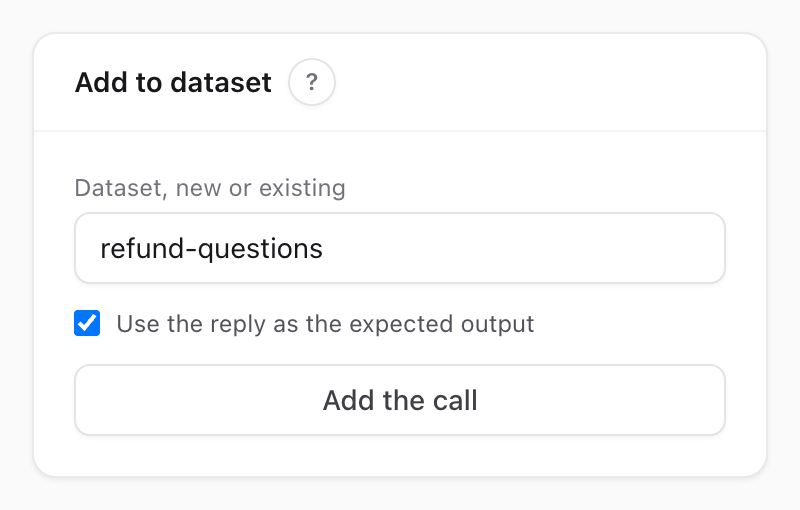
- Type a dataset's name. An existing name adds to that dataset, and a new name creates one.
- Tick Use the reply as the expected output if the reply was a good one, so it becomes the answer you want to keep getting. Leave it unticked if it wasn't.
- Click Add the call.
The call's last user message becomes the input, stored as ['prompt' => '...']. The example keeps a link back to the call it came from.
The card shows on text calls whose request body was stored, to anyone the annotateSpectra gate allows (see Who Can Review). Adding the same call twice adds two examples.
To do the same in code, pass the call's id or the stored request:
Spectra::dataset('refund-questions')->addRequest($requestId, replyIsExpected: true);Keep one input shape
Examples from a call have the input ['prompt' => '...'], while examples from your own code have whatever you gave them. An evaluation's run() reads the input, so if a dataset mixes both, run() has to handle both. It's simpler to use prompt in your own examples too.
By Hand
To write an example yourself, such as a question your app hasn't been asked yet, open the dataset on the dashboard and click Add example in its Examples card:
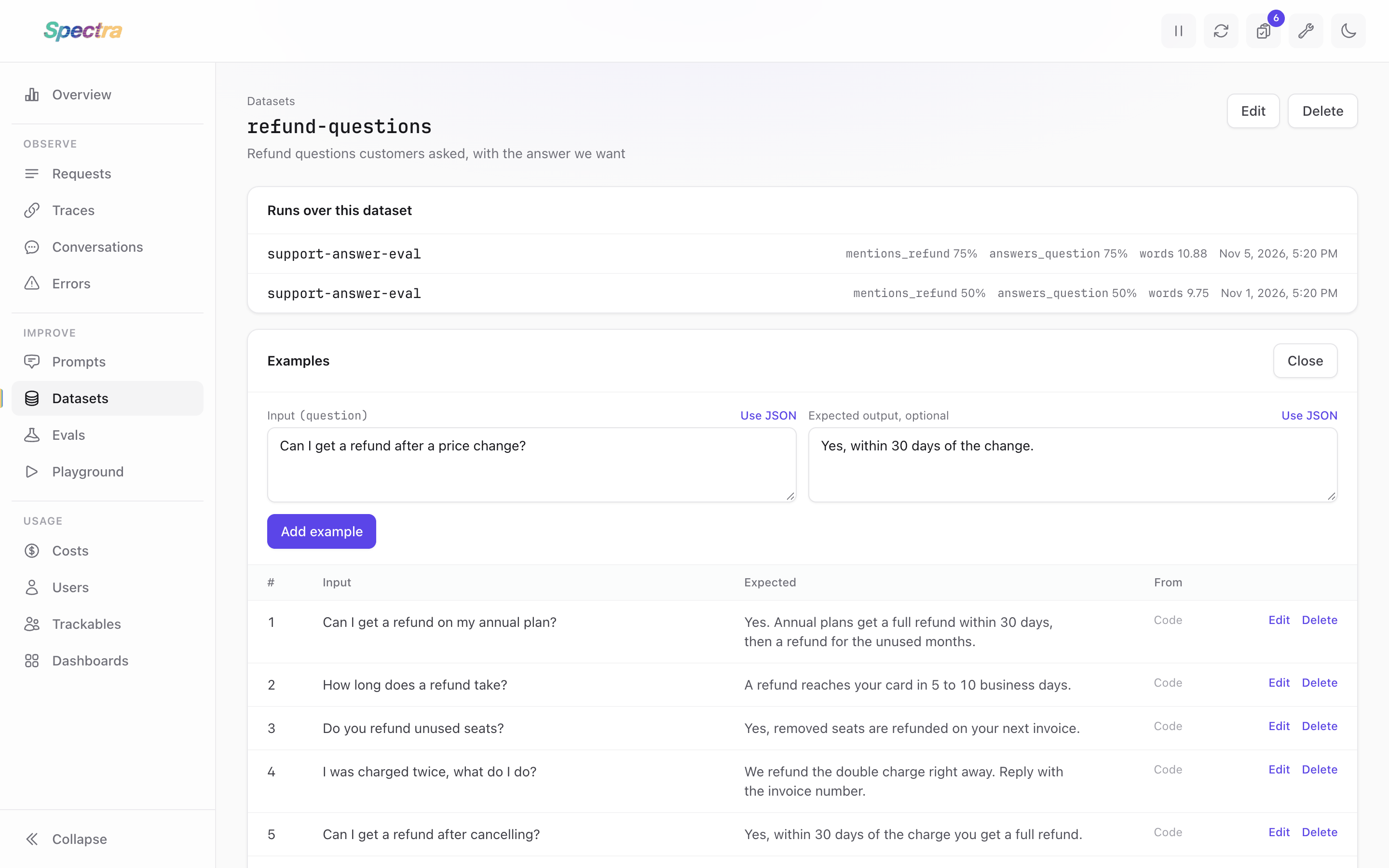
Write the input and, if you know it, the expected output. The input box starts in the same shape as the dataset's newest example, so run() can read the new example the same way:
| The dataset's newest example | What the input box does |
|---|---|
| None yet | Text, stored as ['prompt' => '...'] |
One key holding text, such as ['question' => '...'] | Text, stored under the same key |
| Plain text | Text, stored as plain text |
| Several fields, or values that aren't text | Opens as JSON, with the same fields ready to fill in |
To store something else, click Use JSON above either box and write any JSON value, such as a dataset's first example with several fields, or an expected output with a structure. Use text switches back when the value fits a text box. What you write in JSON is stored as it is, so make sure run() can read it.
The New dataset button and this form show to anyone the annotateSpectra gate allows (see Who Can Review).
Running a Dataset
To use a dataset, write an evaluation that names it, and read each example's input in run():
class SupportAnswerEval extends Evaluation
{
    public function dataset(): string
    {
        return 'refund-questions';
    }

    public function run(mixed $input, SpectraDatasetExample $example): mixed
    {
        return app(SupportAgent::class)->answer($input['question']);
    }

    public function scorers(): array
    {
        return ['exact' => new ExactMatch];
    }
}
Then run it:
php artisan spectra:eval SupportAnswerEvalThe command fails with a clear message if the dataset doesn't exist or has no examples. One dataset can feed several evaluations, for example one for each way of grading the answers.
Seeing Your Datasets
The dashboard's Datasets screen lists every dataset with its number of examples:
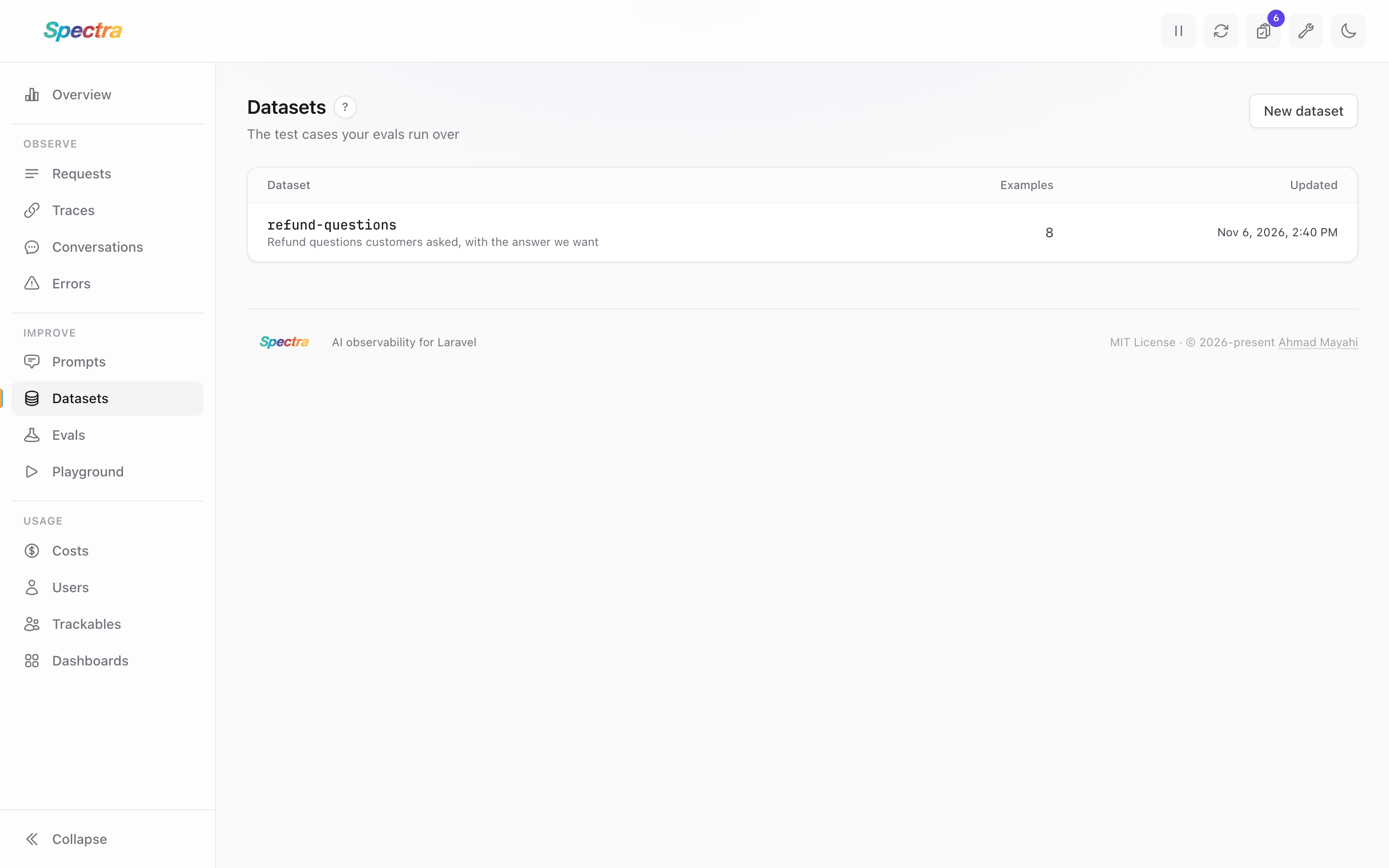
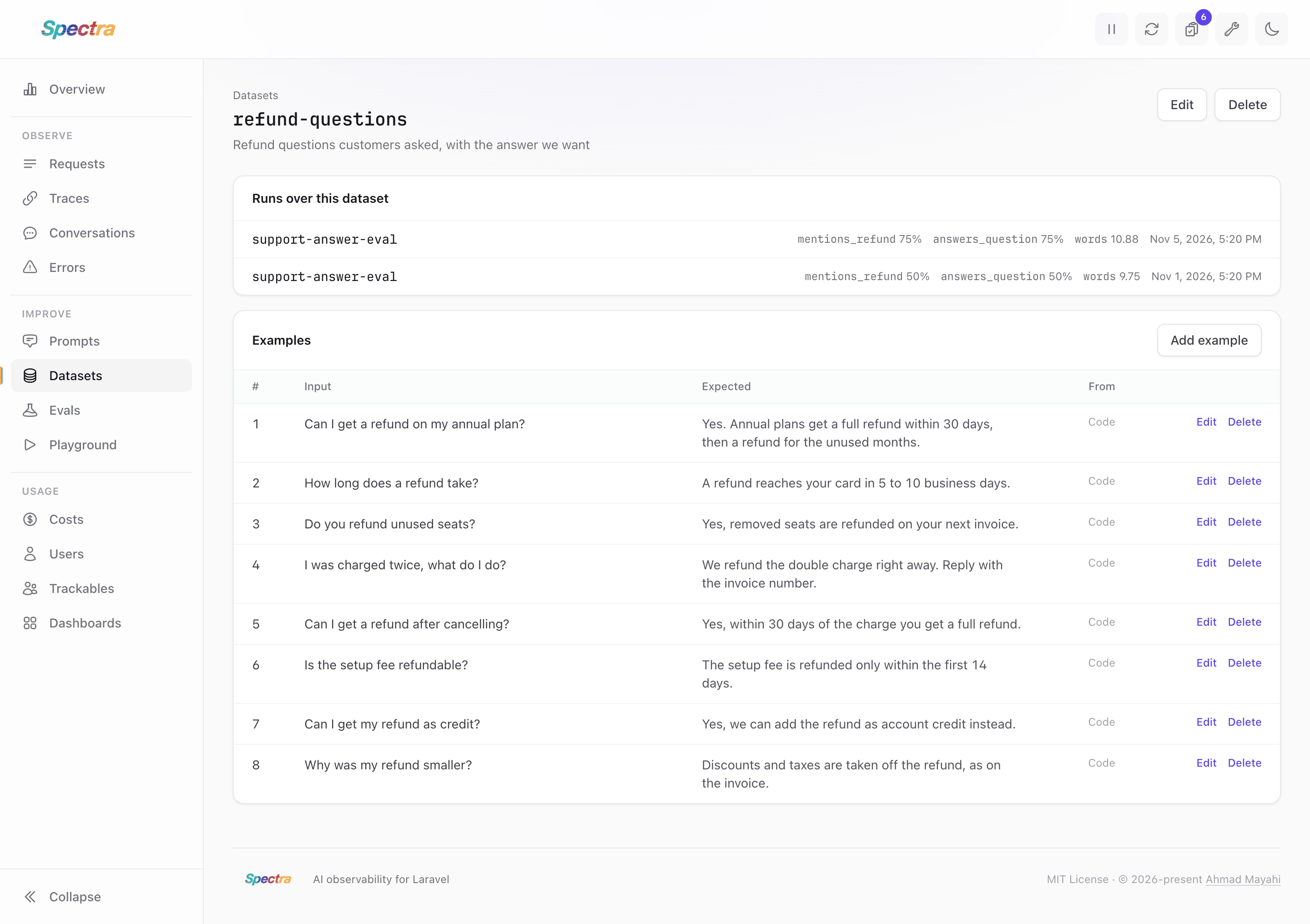
Open one to see its examples and the runs over it. The From column links each example to the call it came from, or says Dashboard if you typed it there or Code if you added it in code:
Changing a Dataset
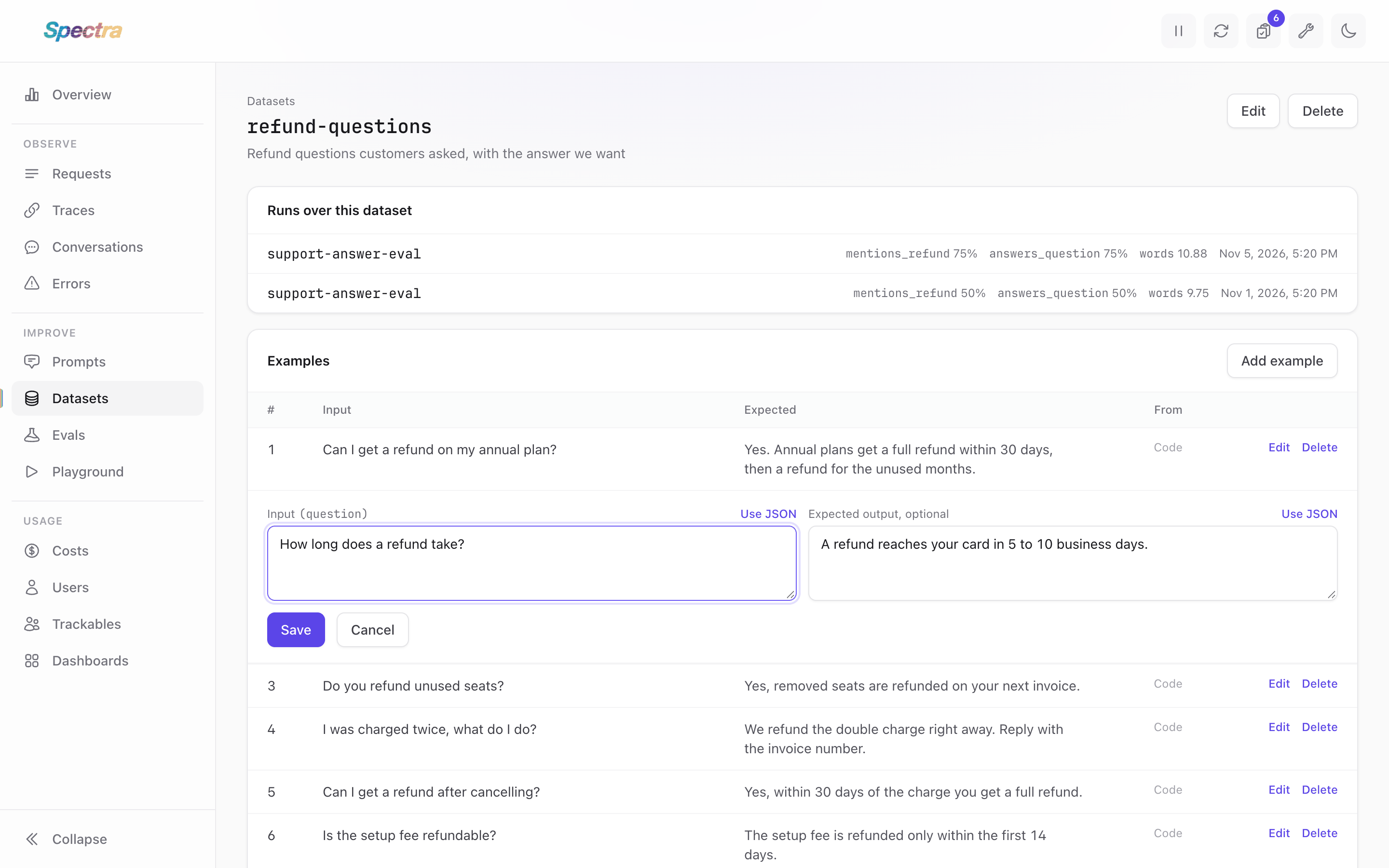
On a dataset's page, anyone the annotateSpectra gate allows can change or remove an example. Edit opens its input and expected output in the same form you add examples with, and Delete asks you to confirm first. An edited example keeps what its From column says, so one saved from a call still links to that call.
In code, examples() returns the dataset's examples, oldest first, as Eloquent models.
$examples = Spectra::dataset('refund-questions')->examples();

$examples->first()->update(['expected' => 'Yes, within 14 days.']);
$examples->last()->delete();
Past runs don't change when you do this, because each result keeps the input and expected output it ran with. Your next run uses the dataset as it is now, so two runs from before and after the edit may not be comparing the same questions.
Renaming or Deleting a Dataset
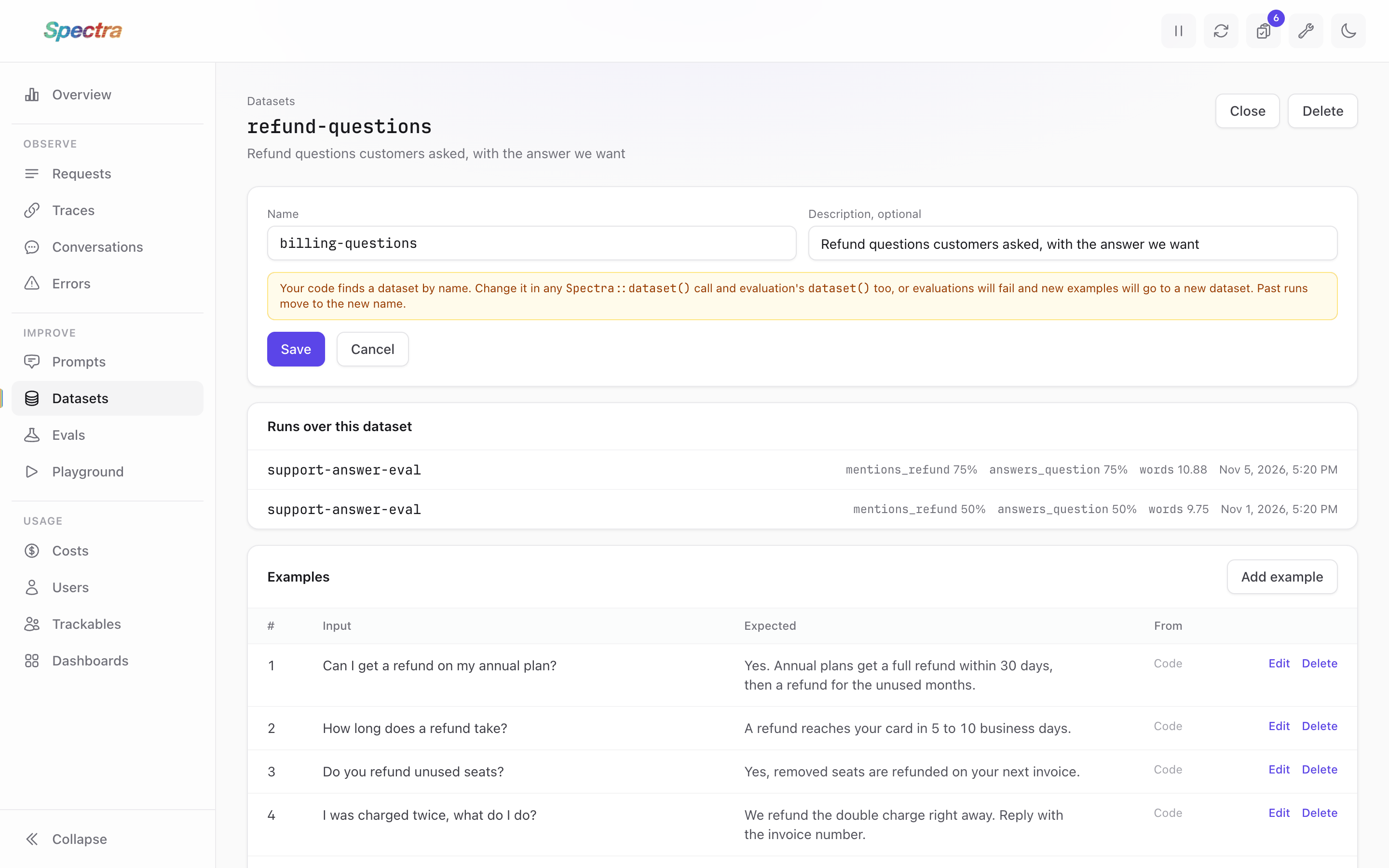
On a dataset's page, Edit changes its name and description, and Delete asks you to confirm, then removes the dataset and all its examples. Both show to anyone the annotateSpectra gate allows.
You can do the same in code:
Spectra::dataset('refund-questions')->rename('billing-questions');

Spectra::dataset('billing-questions')->delete();
rename() throws an InvalidArgumentException if another dataset has the name.
Change your code when you rename
Spectra finds a dataset by its name, so a rename doesn't reach code that uses the old one. An evaluation whose dataset() returns the old name fails with a message saying the dataset doesn't exist, and Spectra::dataset('old-name')->add(...) creates a new dataset with that name.
Runs over a renamed dataset move to the new name, so its page still lists them. Deleting a dataset can't be undone, but its past runs stay, with the inputs, outputs and scores they saved. If you later create a dataset with the same name, its page lists those runs too.
Storage
Datasets and their examples are stored in the tables added by the evaluation migration. Until it runs, Spectra::dataset() fails with a database error. spectra:prune doesn't delete datasets: they are yours to keep.